
Why a small server room still needs proper cooling
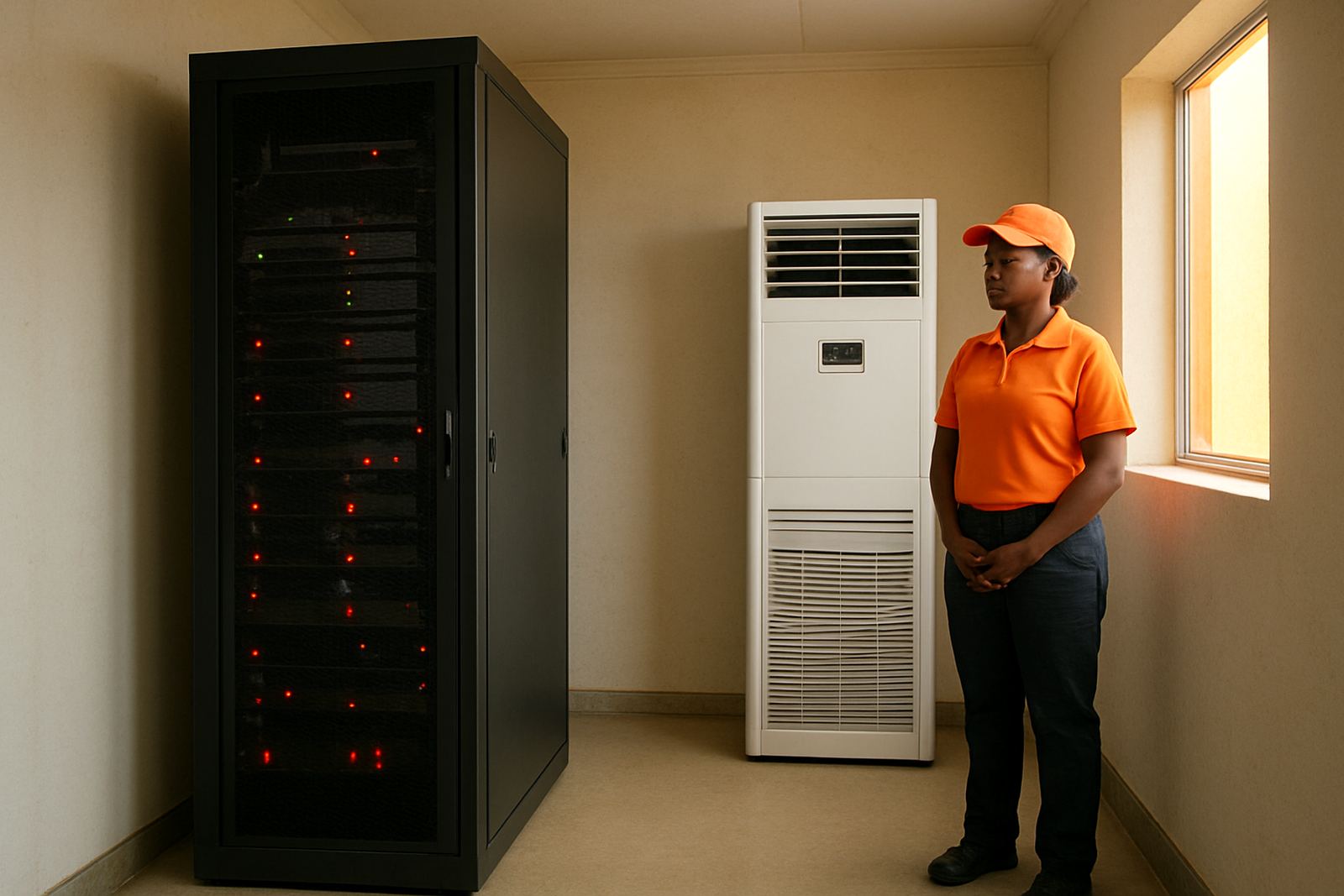
Many businesses think a communications room only needs a standard wall unit because the room is small. That thinking causes trouble fast. A rack full of switches, routers, back-up batteries and a server can throw off a surprising amount of heat, especially in offices where the aircon runs only during working hours.
Once the room warms up, the problem is not just discomfort. Electronics begin to throttle, fans run harder, battery life drops and small faults start to show up as network drops or slow systems. In a busy office in Sandton or Midrand, that can mean lost calls, interrupted card payments, and staff waiting for systems to come back online.
Small rooms are also often tucked into corners, under stairs or in store rooms with limited return air. That means the unit may be cooling the room on paper, but in practice the hot air keeps circling back around the equipment. It is a simple issue, yet it is one of the main causes of avoidable downtime.
The most common cooling risks we see in Gauteng offices
In Johannesburg North and the East Rand, the same few problems come up again and again. Some are electrical, some are layout related, and some happen because the aircon was installed for comfort rather than for equipment load.
- Undersized aircon capacity for the heat load inside the room
- Blocked return airflow behind racks or against a wall
- Unit set too warm because office staff want to save on power
- Dust build-up on filters and coils reducing performance
- Power cuts causing repeated hot starts after supply is restored
- Condensate drainage problems leading to water near equipment
Humidity matters too, especially in summer and in areas where the room is close to a kitchen, loading bay or outside wall. Too much moisture can lead to corrosion or electrical faults. Too little moisture, which can happen when cooling is badly managed, can also create static issues in sensitive equipment. It is not only about getting cold air into the room. It is about stable conditions, day and night.
How load shedding changes the risk profile
Load shedding changes everything. A room that was just warm before can become unsafe in a matter of minutes when the cooling stops. Once the supply comes back, the unit may restart into a room that is already hot. If the equipment has kept running on batteries or a generator, it is now trying to dump heat into an already stressed space.
Businesses often plan for the lights and computers, but forget the cooling. That is where trouble starts. A server room in Randburg with no back-up cooling may survive one short cut, but repeated cuts through a hot afternoon can push temperatures beyond what the equipment can handle. The result may be outages that show up later as corrupted data, damaged batteries, or network gear that fails a week after the event.
For this reason, cooling and power planning should be considered together. If the office has a generator, inverter or battery system, the aircon load needs to be checked as part of the full site plan. If not, even a reliable unit can leave you exposed whenever the grid goes down.
- Check whether the aircon must run during outages or only for a short hold-over period
- Confirm what the backup power can supply without overloading
- Allow for a safe restart time after power returns
- Keep a record of room temperatures during cut periods
What a proper site survey should look at
A real site survey is not just about measuring the wall where the unit will go. It should look at the room layout, equipment heat load, door openings, ceiling height, cable routes, drainage and where warm air builds up. In a small office in Rosebank, one badly placed cabinet can alter airflow enough to cause recurring alarms.
We also look at whether the room shares a wall with a sun-facing exterior, a plant room or a wet area. That matters in Gauteng where afternoon heat can push indoor temperatures up quickly. If the space is above a ceiling or in a converted office, the roof space may add more heat than expected. A quick visual check often misses these details, which is why many cooling problems return after the first installation.
A good survey should leave you with practical answers, not guesswork. You should know the capacity needed, the likely running cost, where the condensate will drain, and what the back-up plan is when the power drops.
- Room dimensions and ceiling height
- Number and type of heat-producing devices
- Airflow direction and possible obstructions
- Power supply and backup arrangement
- Drainage route and service access
Warning signs that your communications room is under stress
Some rooms fail quietly for weeks before anyone notices. The unit may still be blowing cold air, but if temperatures keep swinging or the compressor runs almost constantly, the system is already under strain. Staff often notice the room feels warmer when they open the door, or they hear fans working harder than usual.
Other signs are more direct. Network gear may reboot after a power dip. Batteries may run down faster than they should. You may find water near the indoor unit after a hot spell. In older buildings, dust and blocked vents can make matters worse because the unit cannot move air freely.
If any of these signs show up, do not wait for a full outage. The room may still be functioning today, but it is telling you there is a problem building in the background. A proper service can often catch small faults before they grow into expensive downtime.
- Temperature alarms or unexplained system warnings
- Frequent aircon short cycling
- Condensation or water marks near the unit
- Persistent dust build-up on vents and filters
- Hot spots around one side of the rack
A Johannesburg example and the fix that prevented downtime
A mid-sized business in Johannesburg North called us after repeated network drops during afternoon load shedding. The room was small, tucked into a corner office, and the aircon had been selected years earlier for comfort rather than equipment load. The door stayed closed, but the return airflow was poor and the indoor temperature rose every time power went off. By the time power returned, the rack was already hot.
We adjusted the cooling plan, improved airflow around the cabinet, checked the backup power limits, and replaced the old unit with equipment sized for the actual heat load. We also set out a maintenance schedule so the filters and coils would not clog again. Since then, the room has held a much steadier temperature even on hot days. That kind of result is not dramatic, but it keeps the business online, which is what matters.
If your office depends on connected systems, the safest approach is to treat the server room like a critical space, not just another small room with an aircon. With the right supply and fit, plus servicing and sensible backup planning, you can avoid the kind of failure that only shows up when the pressure is highest.
When to bring in a specialist
If your room has changed over time, if equipment has been added, or if load shedding keeps exposing weak spots, it is worth getting the cooling checked properly. A small site survey can save a lot of lost time later. This is especially important for businesses in Sandton, Midrand and the West Rand where office space is often adapted from older layouts and the original cooling plan no longer matches the load.
At Airconditioning Superstore, we work across Johannesburg North, Randburg, Sandton, Midrand, the East Rand and the West Rand, supplying and fitting aircons for homes and offices, including spaces that need steadier temperature control. If your communications room is running hot, we can assess the site, recommend the right system and service the setup before it becomes a problem.
For questions or a site survey, contact sales@acsuperstore.co.za.